
Report Abandoned Shopping Cart

When an abandoned shopping cart is found, visit https://phxatyourservice.dynamics365portals.us/.
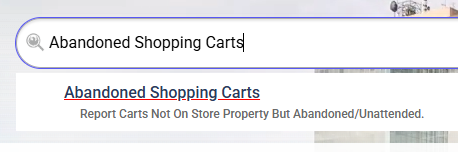
Once the myPHX311 portal opens, locate the search bar and enter “Abandoned Shopping Cart”.
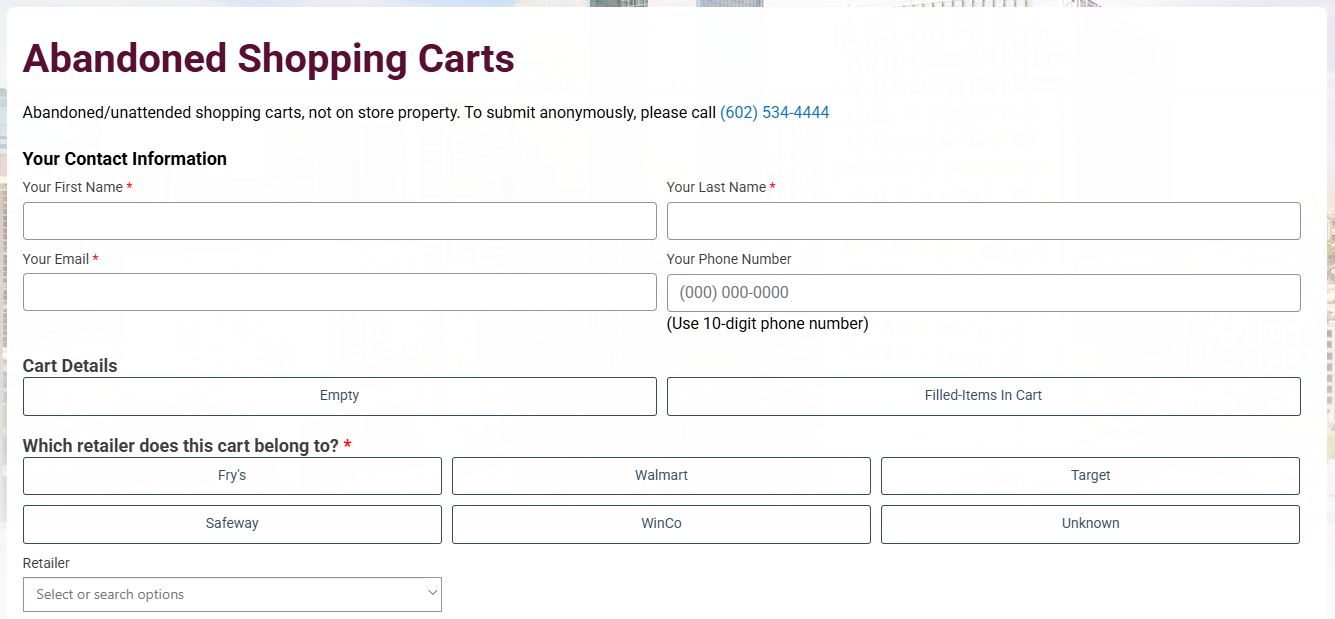
3A: Complete the required fields.
Once the Abandoned Shopping Carts webpage loads, complete the required fields, which are notated with an asterisk (*) in the following sections: Your Contact Information, Cart Details, Which retailer does this cart belong to?, Cart Location, Issue Location, and May we contact you with questions about your request?.
The reporting party is encouraged to upload a photo as supporting documentation. The party can also choose to add the location via sharing current location, dropping a pin, or providing a street address, street intersection, or assessor parcel number (APN).
3B: Once the form is completed, select the Submit button.
After the submission, the reporting party will receive a follow-up email, which summarizes the report and provides a service request number.
Reports are visible on the PHX CartFinder map.